
Online Editing Tool: Changing Text Color

Here's how to change the color of your text:
- Click on the text block.
- This will open up the color selection tool, which is broken up into three parts.
- To the right is the color spectrum. Choose a general color.
- To the left is a color picker for detailed color selection. Choose your exact shade.
- At the bottom is a transparency scale. The default is set for full transparency.
Quick Note:
Corefact works in the CMYK color palette. If you have HEX (typically website) or RGB (typically brand) colors that you'd like us to print with for consistency, plug it in and we'll convert to match those colors.
Need help?
Our Customer service team is ready to come to the rescue:
Call us: +(866) 777-3986
Monday through Friday 8:00 AM - 5 PM PST
Email: CS@Corefact.com
Was this helpful?
Related topics

5 min. read
Online Editing Tool: Changing Font Size
Learn how to change font size using the Corefact online editing tool.
Read More
4 min. read
Online Editing Tool: Aligning Text
Learn how to align text using the Corefact online editing tool.
Read More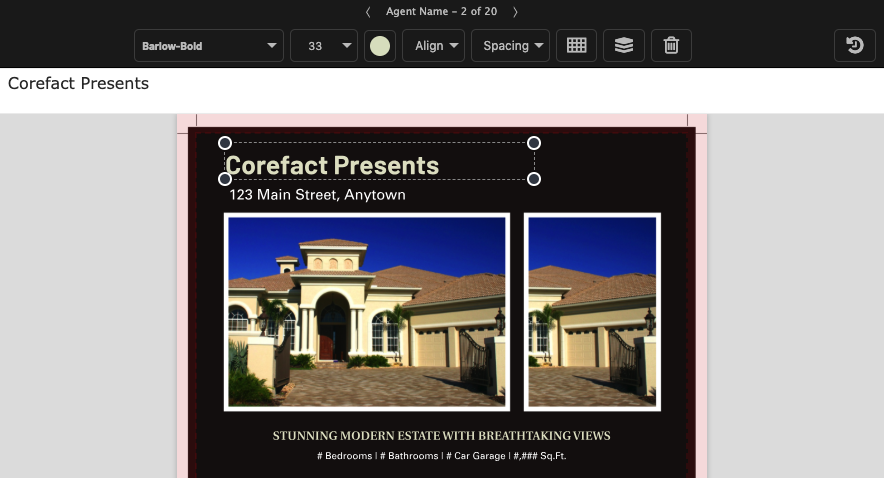
12 min. read
Online Editing Tool: Texts and Fonts 101
Learn all about editing and managing texts and fonts using the Corefact online editing tool.
Read More