
Online Editing Tool: Image Gallery

New orders have sample images to show where the images boxes are. You can replace with a custom image, which will then be added to your image gallery, located at the top of the page.
Click on the image and upload your own image using the “Upload” icon. Note that the image you are working on will be highlighted in yellow in the image gallery.
You can also go in and delete sample images from the image gallery. Please note, image galleries do not carry over from order to order.
Need help?
Our Customer service team is ready to come to the rescue:
Call us: +(866) 777-3986
Monday through Friday 8:00 AM - 5 PM PST
Email: CS@Corefact.com
Related topics

Online Editing Tool: Resizing Images
Learn how to resize images using the Corefact online editing tool.
Read More
Online Editing Tool: Replacing Sample Images
Learn how to replace sample images with the Corefact online editing tool.
Read More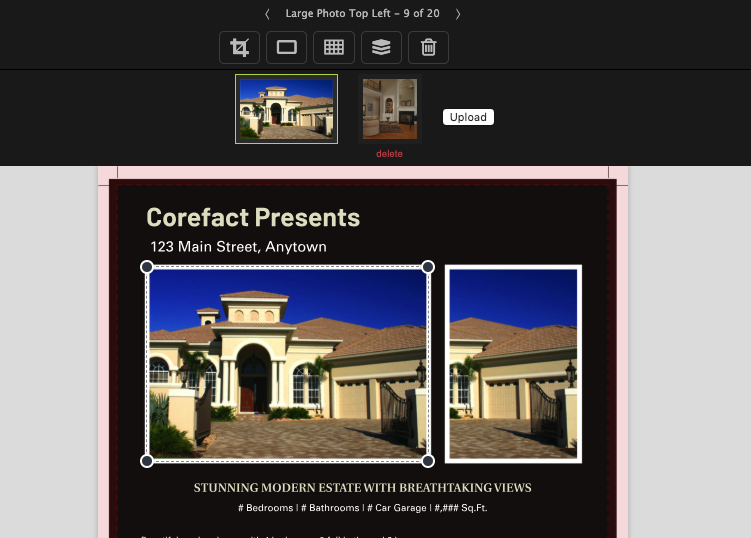
Online Editing Tool: Images 101
Learn all about editing and managing images using the Corefact online editing tool.
Read More